
Tulsa, OK Custom Database Development
Database design and development for organizations in Tulsa and northeast Oklahoma, including Broken Arrow, Owasso, Jenks, Bixby and Sand Springs.
Your Tulsa database has been slowing down for years
Access and FoxPro databases were never meant to hold decades of records for dozens of users. As Tulsa companies grow, those systems get slower, crash more often, and become harder to back up and protect.
Keene Systems migrates legacy databases to Microsoft SQL Server and rebuilds the screens as web applications. The data you depend on comes across intact, and the slowdowns disappear.
Many of Tulsa’s family-owned distributors, oilfield suppliers, and service companies built their first database decades ago. It has served them well, but it now struggles with today’s volume and cannot support remote access or integrations.
Moving to SQL Server gives the business room to grow. Many more users can work at once, reports run quickly, and the data finally becomes available to the other tools the company wants to use.
How a Tulsa database project runs
Our analysts and database architects work with organizations in Tulsa and northeast Oklahoma remotely, by video call and screen share, from our office in New Hampshire. You see progress every two weeks, and you own the database and everything built on it.
How we migrate a Tulsa database
- We analyze the database during the Business Analysis.
- We migrate, verify, and switch over at a quiet time.
Legacy database migration for Tulsa companies
Our database architects redesign weak structures, migrate every record, and verify the results, while developers rebuild forms and reports to work in any browser. Learn more about our database design services.
What a Tulsa database migration includes
the old structure analyzed.
a scalable foundation.
access from anywhere.
every record checked.
connections to other tools.
Signs your Tulsa database is overloaded
- Screens are slow.
- It has corrupted.
- Branches cannot use it.
- Backups are manual.
- It runs on Access or FoxPro.
The cost of a failing database
A corrupted database can stop sales for days. Migration costs far less than that downtime.
A Tulsa example
An illustrative scenario, drawn from the kinds of projects we handle. It is a composite, not a specific client.
Imagine a Tulsa oilfield-supply house whose Access database has grown to hold every customer, part, and order since the company began. Screens take seconds to load, and it corrupted twice last year.
Moving to SQL Server with a web front end makes it fast, reliable, and available to branch locations.
What changes after migration
Speed returns, corruption scares end, and branches share one system.
Moving beyond a fragile Access database
Many oilfield-supply companies run their quoting, inventory, or customer records on an Access database built years ago. It works until it doesn’t: the file grows slow, corrupts during a busy week, or limits how many people can use it at once. Field staff cannot reach it from the yard or a customer site, so they call the office for answers.
A custom database built on SQL Server keeps everything the Access file did and removes its limits. Many users work at the same time, data is protected by automatic backups, and field staff reach it securely from phones or tablets.
The migration starts with a careful review of the Access file, including its tables, forms, reports, and the queries staff rely on. We document what each piece does, clean up duplicate records with staff input, and preserve every bit of history.
New screens are designed around the tasks staff perform most, such as checking stock across yards, preparing quotes, or looking up a customer’s past orders. Reports that took minutes in Access run in seconds.
Staff and field users test the new database with real tasks before the switch, and their feedback shapes the final screens.
The old Access file is kept read-only for reference, and the new database is documented so it can be supported for the long term.
Tulsa companies can meet with our team online, and support continues as the business grows.
Once the data is on a modern database, the company can add improvements that were impossible in Access, such as a customer portal for order status, automated reorder points, or reports comparing yards and product lines. Each improvement builds on the same clean data.
We converted Centris Consulting’s Access-based product into the web platform CView and re-engineered NStar Electric and Gas’s older system for secure online use. Both moved years of data onto a modern foundation without loss.
Database development questions from Tulsa organizations
Will our old reports still be available?
Yes. We rebuild them, often with improvements.
How long will the migration take?
It depends on size and complexity; you will have a clear estimate after the Business Analysis.
Can we run the old system during migration?
Yes. We plan cutovers to minimize disruption.
Will branches be able to use it?
They will. Branches use the same database through a browser, with no file to copy or sync.
Will history be preserved?
It will. Existing records move to SQL Server and are verified against the old file.
Can we keep familiar reports?
You can. The reports people use every day are rebuilt to match.
Will it be faster?
Noticeably. Searches and reports that crawl in a large Access file come back in seconds.
Can field staff check stock from their phones?
Yes. Field staff look up stock at any branch from a phone.
Will history carry over from Access?
Yes, fully migrated and verified.
Can quotes be generated from the database?
They can. A quote is built from current items and prices and saved against the customer.
Can several yards be tracked?
Yes, with stock by location.
Can it connect to our accounting software?
Usually. Invoices and customers are shared with the accounting software by API or import.
Can we keep the Access file?
Yes. It can be kept as a read-only archive in case anyone needs to look back.
Can reorder points be automated?
Yes, by item and yard.
Can customers check order status online?
Yes, as a later improvement.
What we love about Tulsa
Every project begins with getting to know a client, and conversations about Tulsa tend to come back to the same favorites:
- Guthrie Green: an urban park with concerts and a weekly market.
- The Woody Guthrie and Bob Dylan centers: two serious music archives side by side.
- River Parks: miles of trail along the Arkansas River.
- Green Country: lakes and wooded hills that surprise first-time visitors.
- The Gathering Place: a riverfront park often called the best in the country.
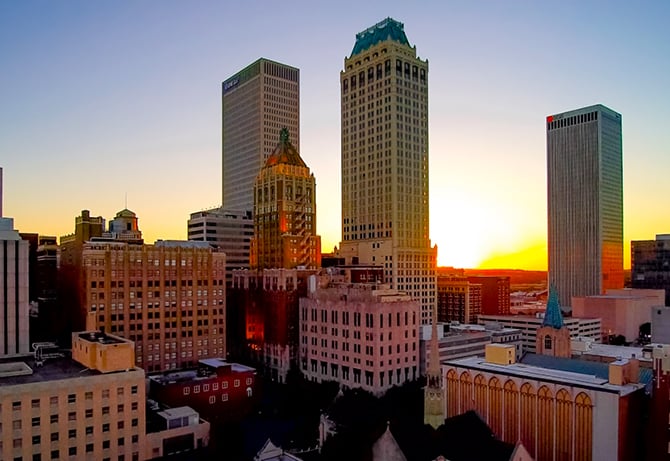
- The Art Deco architecture: oil-boom towers and details all over downtown.
- The Philbrook Museum: an Italian-style villa with formal gardens.
Service types
Why Keene Systems
Founded in 1987 and veteran-owned, Keene Systems has migrated databases for organizations of every size. Our 50+ professionals know every generation of database technology.
Is your database getting slower every year? Schedule a 20-minute project exploration call.
Tulsa legacy databases we migrate
Aging databases we commonly move to SQL Server:
- Distribution: order and inventory databases.
- Oilfield supply: parts and customer databases.
- Service companies: job and billing databases.
- Nonprofits: member and donor databases.
Schedule Your Tulsa, OK Database Discovery Call