


Keene Systems is a business process automation leader because we pair custom application engineering with disciplined discovery, architecture, implementation, and ongoing maintenance. We help small and midsize businesses replace fragile spreadsheets, disconnected tools, and aging desktop applications with software that reflects how their work actually gets done. Automation is not simply adding a form or moving a manual task online.
It means designing reliable workflows, data rules, and integrations that support the people responsible for the work.
Key takeaways
Business process automation works best when custom software solves a defined operational problem and fits the systems and people already involved.
Decisions to make before automating
Prepare the process before choosing automation
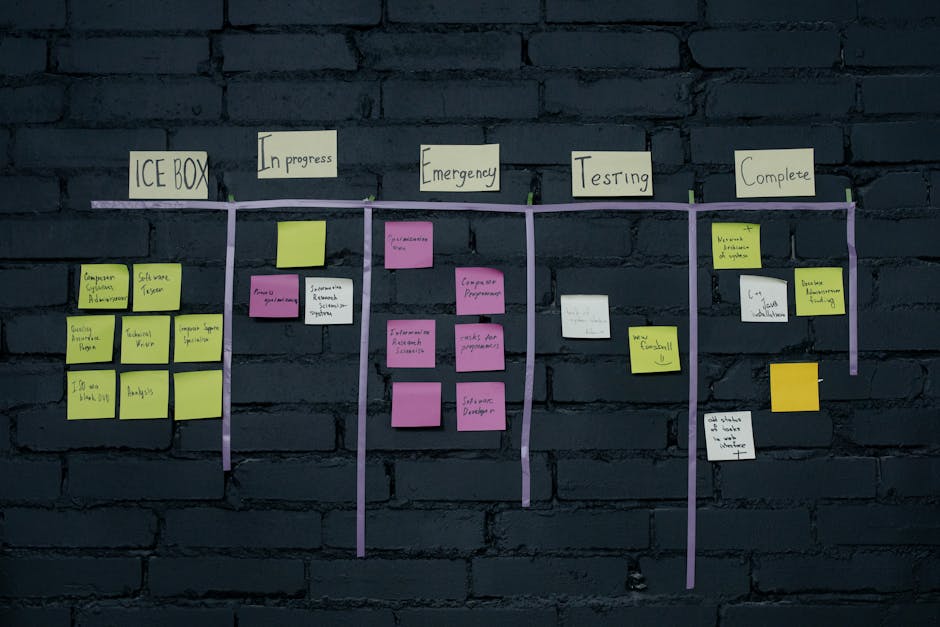
Describe the current work, not just the desired screen
Start with one process that consumes staff time or causes recurring mistakes. For a manufacturer, that could be moving a production order from scheduling to the shop floor and then to shipping. For a service business, it might be routing a request through review, approval, and fulfillment. Write down the sequence, roles, inputs, outputs, and exceptions.
Record how the work happens today, including the unofficial steps. A spreadsheet might be used to reconcile information from an old desktop application, while approvals happen through email. If those dependencies stay hidden, a new application can reproduce the same bottlenecks with a different interface.
A practical process map should identify the event that starts the work, required fields, decision points, and the condition that marks it complete. Note which steps require a person’s judgment. Those are often better supported with clear queues and review screens than automatically approved by software.
Gather the data and system details
List the applications and files involved, who can access them, and which system should be authoritative for each type of record. If customer, product, or job details appear in multiple places, identify the source of truth before planning integrations or database design. Keene Systems explains why this foundation matters in its guide to SQL Server database design for custom software.
Bring sample forms, spreadsheet tabs, report layouts, and representative records to planning discussions. Include unusual cases, not just clean examples. A workflow that processes a complete order correctly still needs a defined response when a required field is missing, a quantity changes, or an approval is rejected.
Check operational constraints as well: users in multiple locations, mobile access on a warehouse floor, existing authentication, and required connections to accounting or inventory systems. These details influence whether a web application, mobile application, database change, or integration is the core of the project.
What a business process automation leader does differently

A practical implementation sequence
- Select a bounded workflow: Choose a process with a clear start and finish, such as approving a purchase request or releasing a job packet. Keep adjacent processes in scope only when a handoff or shared data makes them necessary.
- Observe roles and exceptions: Document who creates, reviews, changes, and closes each record. Capture edge cases such as rush orders, rejected approvals, and corrections, because these rules shape permissions and workflow states.
- Define the data model: Decide which records the application owns and how they relate. For SQL Server, this means planning entities, keys, constraints, and reporting needs rather than treating a collection of spreadsheet columns as a database design.
- Design screens and workflow states: Specify what each role sees and what actions are available at each stage. A useful queue makes the next task clear, while keeping the record’s history and current status available for review.
- Choose the application architecture: Match the stack and hosting approach to the requirements. An ASP.NET web application may suit a browser-based business system, while FileMaker Pro, PHP/MySQL, or a mobile application can be appropriate for different existing environments and needs.
- Build and test with representative cases: Validate normal work, permissions, data validation, integrations, and failure handling. Test with realistic records and users, including cases where an external system is unavailable or a transaction needs correction.
- Deploy with an operating plan: Prepare user guidance, data migration checks, access setup, and a way to report issues. Define who maintains the application, how changes are reviewed, and how backups and updates fit the business’s operations.
For a more detailed view of the sequence, read our explanation of the custom software development process at Keene Systems.
Pro Tip: Before development, write down the status changes for one real record from creation to completion. If staff cannot agree on what each status means, automate that definition before automating the handoffs.
Ready to replace a manual workflow with software built around your operation? Talk with our custom software team.
Signs the automation is working, and when to get help
Look for evidence in the workflow
Useful signs are visible in the application and in daily work. Staff should be able to find the current owner and status of a request without asking several colleagues, and records should not require repeated re-entry between departments. Reports should come from consistent data rather than separate spreadsheet copies maintained by different users.
Check whether the process is handling its defined exceptions. A well-designed system makes rejected approvals, incomplete records, and failed integrations visible instead of silently dropping them. Review a sample of completed transactions with the people who perform the work, then compare the recorded steps with the intended process.
Automation is not working well if staff keep exporting data to spreadsheets to finish the task, maintain shadow lists because queues are unreliable, or ask a developer to make routine record corrections. Those symptoms point to gaps in workflow design, permissions, training, or the application itself. They are reasons to investigate, not proof that every manual step should disappear.
Pro Tip: Review a small set of completed records after rollout, including at least one exception. Confirm that the status history, key fields, and final outcome agree with the source documents before expanding the workflow.
Bring in a software specialist when the process crosses multiple applications, a legacy desktop system is difficult to maintain, or staff disagree about which records are authoritative. Specialist help is also valuable when a company has lost its programmer and needs to understand an undocumented application before changing it. Keene Systems describes common automation considerations in its guide to business process automation steps for manual systems.
Our perspective
We approach business process automation as a software design problem grounded in the daily work of a business. Keene Systems is a veteran-owned company founded in 1987, with a team of more than 50 web and mobile developers. Our work spans ASP.NET and SQL Server as well as FileMaker, React, Java, and PHP/MySQL, so we can consider the existing application environment instead of assuming every organization needs the same platform.
We advise businesses to automate a defined workflow, make its data rules explicit, and build in a way that supports future changes. A manufacturer replacing a spreadsheet-based work queue has different requirements from a startup building its first customer portal or a company modernizing an old desktop database. The right scope follows the operational need, not a fashionable technology choice.
We avoid treating automation as a quick interface project. A polished screen cannot compensate for unclear ownership, inconsistent records, or missing exception rules. Nor does every process need custom software: when an existing product handles the workflow without costly workarounds, configuring it can be the more sensible choice. Our role is to help establish the fit and then engineer the solution that meets the real requirements.
When to bring in a professional
Prepare for a useful first conversation
Bring a process map or a simple written sequence, sample records, current forms and spreadsheets, and a list of applications that exchange information. Identify the staff roles involved, what slows them down, and which decisions require human review. If a legacy system is involved, include its technology if known, how it is hosted, and who currently has access to its source code or data.
A capable provider should explain how discovery will turn into requirements, what will be included in the first release, how data migration and testing will work, and what ongoing maintenance requires. They should also describe tradeoffs between adapting an existing platform and building a custom application. If a proposed plan ignores exceptions, integration boundaries, or who owns the data, ask for those decisions to be made explicit before development starts.
FAQ
What is business process automation?
Business process automation uses software to carry out or coordinate repeatable steps in a defined business workflow. A custom application might collect a request, validate required information, route it to an authorized reviewer, update a shared record, and show staff what remains to be done. Good automation also makes exceptions visible so people can resolve them rather than relying on hidden email threads or spreadsheet notes.
How do I know whether a spreadsheet should become a web application?
Consider a web application when several people edit or copy the same spreadsheet, the file has become difficult to validate, or the process needs role-based approvals and a dependable history. First document the fields, formulas, reports, and decisions that the spreadsheet supports. Some spreadsheets are useful analytical tools and should remain in place; the strongest candidate for replacement is usually the one acting as a shared work queue or operational database.
Can automation work with an existing legacy application?
Yes, but the right approach depends on the legacy system’s data access, interfaces, technology, and operational importance. A project may integrate with it, migrate selected records, or replace part of its functionality through a modern web application. Before deciding, identify the authoritative records and test how data can be extracted and validated. Replacing a desktop system without understanding its embedded business rules risks losing behavior users rely on.
Which technology should a business use for process automation?
The workflow and existing environment should drive the technology choice. ASP.NET and SQL Server can support custom web applications that need structured data and business rules; FileMaker Pro, PHP/MySQL, React, Java, and mobile development address different application needs. Hosting, integrations, team access, security requirements, and maintenance all matter. A technology label alone does not show whether the proposed architecture fits the process.
How long does a custom automation project take?
There is no responsible single timeline for every project. Scope, the number of workflows and integrations, data quality, access to existing systems, migration requirements, and stakeholder availability all affect delivery. A bounded first release with agreed requirements is easier to estimate than a broad request to automate an entire operation. Ask for the assumptions behind the estimate and how changes to scope will be handled.
How Keene Systems helps automate business workflows
Keene Systems works with organizations that need custom applications to manage real operating processes, including manufacturers handling production and business data, companies replacing aging desktop tools, and teams moving spreadsheet-based work into a shared application. Our approach covers project exploration, software architecture, development, and ongoing maintenance, with implementation choices grounded in the existing systems and workflow.
Relevant capabilities include:
- Custom web application development: Build role-based workflows for browser access and shared operational records.
- SQL Server database design: Structure business data to support reliable application behavior and reporting.
- Legacy system modernization and integration: Connect with or replace older applications when their limitations obstruct the process.
- Mobile application development: Support workflows where users need to capture or review information away from a desktop.
We serve businesses across the United States and work with technologies including ASP.NET, SQL Server, FileMaker, React, Java, and PHP/MySQL. Tell us what the process does today and where it breaks down. Discuss your automation project with Keene Systems.
Conclusion
The strongest business process automation projects start by making the existing workflow understandable: its roles, records, decisions, exceptions, and system boundaries. From there, a business can decide whether to configure an existing product, integrate systems, modernize a legacy tool, or build a custom application. That choice should follow the work rather than a technology trend.
For a company considering a new system, the most useful next step is to map one costly or error-prone workflow and bring its real forms, records, and edge cases into a project discussion. That gives a business process automation leader the information needed to scope a solution that fits the operation and can be maintained after launch.