

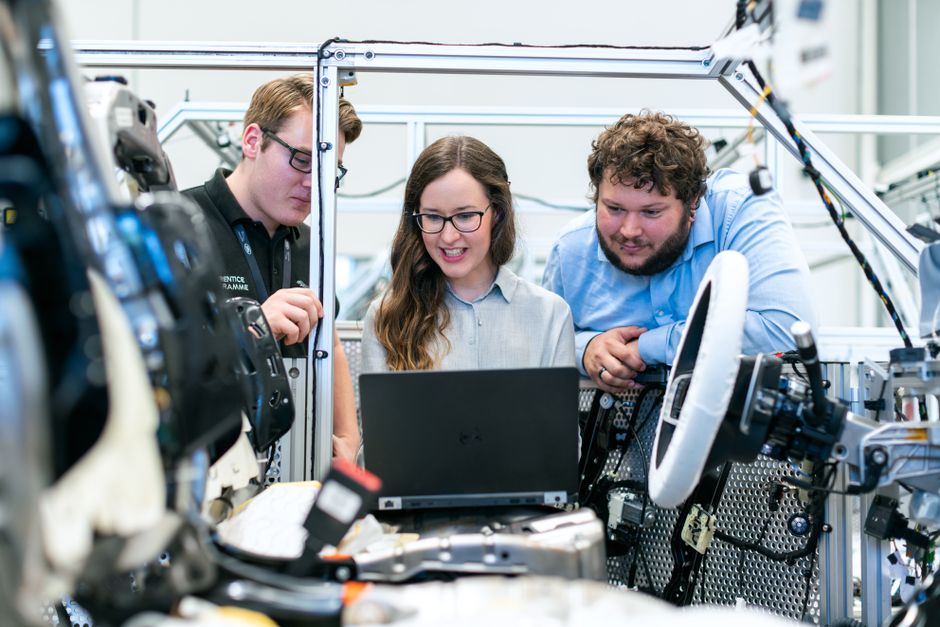
Custom software development for manufacturing connects production, inventory, quality, and business data around the way a plant actually works. For small and midsize manufacturers, that can mean replacing disconnected spreadsheets or an aging desktop program with a web application built around real workflows. The right solution depends on the production process, the systems already in use, and the information employees need at each step.
Start by identifying a specific operational bottleneck, then determine whether the answer is a focused application, an integration, or a broader modernization effort.
Key takeaways
Manufacturing software delivers practical value when it fits a defined production workflow, works with dependable data, and gives each role the right information at the right time.
Compare the starting points
Manufacturing software options and their best fit

Configure, integrate, or build
Manufacturers usually face three distinct choices: improve the tools already in place, connect separate systems, or develop an application for a workflow that existing products do not support. A custom build is not automatically the answer. If a production planning tool already handles the required process, configuration or a carefully scoped integration may be more appropriate.
A tailored web application becomes relevant when the work has rules that generic software cannot represent cleanly. For example, a manufacturer may need to track material issued to a job, record a quality hold, and show supervisors the latest status without asking operators to update multiple files. The application can enforce required fields and preserve a clear record of changes.
- Existing ERP or manufacturing system: Keep it as the primary record when it already manages orders, inventory, and production transactions reliably.
- Custom workflow application: Use it for a specific gap, such as routing nonconformance reviews or coordinating approvals between the floor and office.
- System integration: Connect applications when staff repeatedly copy order, part, or customer information from one screen to another.
- Legacy desktop conversion: Consider a browser-based replacement when access is limited to particular computers or changes depend on an outdated application.
Match the tool to the operational problem
A custom application should have a defined boundary. It might manage work-order progress while an existing ERP remains responsible for inventory balances. That division limits duplicate records and makes it clearer which system employees should trust. The manufacturing business case study offers related context on applying tailored software to manufacturing operations.
For a company that has lost the programmer who maintained an Access, FoxPro, or FileMaker application, the first task is to understand how the program works before selecting a replacement. Screens, reports, stored data, and informal workarounds all reveal business rules that may never have been documented.
How to choose a solution for your plant

Define the workflow before the feature list
Begin with one operational process and map its actual path. For a work order, record who creates it, how materials are assigned, where completion is logged, and how exceptions reach a supervisor. Include the handoffs between production, inventory, quality, and office staff. A feature request such as “show real-time status” is not specific until the team defines what status means and who updates it.
Next, identify the system of record for each important data element. The ERP may own part numbers and inventory quantities, while a quality application records inspection results. If a new web application stores another copy of those values, the project needs a clear synchronization rule. Without one, two screens can show different answers after a change or correction.
Evaluate fit, data, and use conditions
Use these criteria to compare possible approaches:
- Workflow complexity: Choose custom development when required steps, approvals, or exception paths do not fit the current application.
- Data ownership: List which system controls orders, inventory, customer details, and quality records before designing integrations.
- Production-floor access: Confirm whether staff will use shared workstations, tablets, phones, or barcode scanners, and test the interface in those conditions.
- Reporting needs: Specify the decisions a report supports, its filters, and how often its data must refresh.
- Future change: Consider whether new product lines, facilities, or approval rules will require changes to application structure and permissions.
A manufacturer with a single spreadsheet tracking jobs may need a structured work-management application, not an enterprise-wide replacement. A company with several disconnected systems may need integration analysis before it can sensibly choose what to build. Keene Systems’ discussion of software architecture for business efficiency explains why application boundaries and data flow matter to a maintainable solution.
Pro Tip: Ask the team that updates a production record to walk through a real example, including a correction or exception. Those steps often expose requirements that a meeting-room feature list misses.
From production problem to working application
A disciplined development sequence
A manufacturing application should be shaped around observed work and verified data, not assumptions about how the plant operates. A practical sequence keeps the problem, technical design, and acceptance criteria connected.
- Explore the current process: Document the people, systems, forms, spreadsheets, and handoffs involved in the target workflow. Note where information is reentered, delayed, or corrected.
- Set the first release boundary: Select a manageable process, such as recording job progress or managing quality holds. Define what is included and what remains in the existing ERP or other application.
- Inspect source data: Review sample records, field formats, identifiers, and duplicate values in systems such as SQL Server, FileMaker, or MySQL. Decide how the new application will recognize each order, part, and user.
- Design screens and architecture: Sketch the key views for operators, supervisors, and office staff. Specify permissions, validation rules, integration points, and how failed updates will be surfaced.
- Build and review incrementally: Develop the application in small, testable stages. Have users check realistic scenarios, including incomplete records, rework, material shortages, and rejected inspections.
- Verify the production workflow: Test data moving between the new application and connected systems. Confirm role access, reports, error handling, and the process for correcting an incorrect entry.
- Prepare deployment and support: Plan user guidance, rollout responsibilities, issue tracking, and application maintenance. Retain documentation for integrations and business rules so future changes do not depend on one person’s memory.
The custom software development process describes a structured path from project exploration through development and ongoing maintenance. For manufacturing teams, the essential practical test is whether the application handles real work, including exceptions, without creating a second disconnected workflow.
Pro Tip: Put a known exception into acceptance testing, such as a work order with a missing material or a failed inspection. Confirm who sees the issue, what action is recorded, and how the status changes afterward.
Our perspective
We approach manufacturing software by first understanding the operational problem the application must solve. A plant may describe the issue as a reporting problem, but the underlying cause could be inconsistent data entry, an approval step that lives in email, or a desktop program that only one employee understands. Identifying that cause shapes the application and prevents development from simply reproducing an inefficient process on a new screen.
We work with technologies including ASP.NET, SQL Server, FileMaker, React, Java, and PHP/MySQL. The appropriate choice follows the application’s requirements and existing environment. A manufacturer already using SQL Server, for example, may benefit from a web application designed to work with its data rather than a separate database that requires duplicate maintenance.
We also avoid treating a complete replacement as the default. Keeping a reliable system in place and adding a focused application or integration can be the better fit. Our approach to digital transformation reflects that need to align software decisions with operational goals. Keene Systems has provided custom software development since 1987 and brings a disciplined development process to projects that need careful exploration, implementation, and continued support.
When to bring in a software specialist
Signs that the problem needs technical discovery
Bring in a specialist when a production workflow depends on an unsupported desktop application, several spreadsheets, repeated data entry, or integrations that break when one system changes. The same applies when a company has lost the programmer who understood a business-critical application, or when users cannot explain which of several records is authoritative.
Prepare a few concrete examples for the first discussion: a typical work order, a recent exception, a spreadsheet or report, and a list of applications involved. Describe who creates and updates each record, what decisions depend on it, and what happens when the information is missing or wrong. Do not send sensitive production data unless the handling process has been agreed.
A capable provider should be able to explain how it will discover requirements, assess existing data, define application boundaries, and test integrations. It should also identify assumptions, dependencies, and what is outside the initial scope. If the workflow is already well supported by software you own, or the main issue is a simple configuration change, a custom build may not be the right fit.
FAQ
What is custom software development for manufacturing?
It is the design and development of an application for a manufacturer’s specific workflows, data, and user roles. Examples include work-order tracking, quality review, inventory coordination, or a browser-based replacement for an aging desktop system. The application may operate independently or connect to existing tools such as an ERP or SQL Server database.
Its purpose is to address a defined operational need, not to duplicate every feature of a large manufacturing platform.
When should a manufacturer replace spreadsheets with an application?
Consider replacement when several employees maintain separate copies, records are repeatedly reentered, or spreadsheet updates do not provide a dependable view of job status. Before development, identify who owns each field, who can change it, and what approvals are required. A web application can apply validation and permissions consistently, but it will not fix unclear process ownership on its own. The workflow and data rules must be agreed first.
Can a custom application work with an existing ERP?
Yes, if the ERP and the new application can exchange the required information through an appropriate interface or a defined data process. Start by deciding which system owns each record. For instance, the ERP might remain authoritative for inventory quantities while a custom application captures an inspection result. The integration design should cover identifiers, update timing, rejected messages, and how users find and resolve an error.
How do you modernize an old manufacturing desktop application?
Begin by documenting its screens, reports, data sources, and business rules, including tasks performed outside the program. Then determine which capabilities users still need, which data should be retained, and whether the target should be a web application or another interface. Test migrated data against known records and reports. Rebuilding only the visible screens while overlooking hidden rules can disrupt production workflows, so discovery and user validation are essential.
What should a production-floor application include?
It should present the information a worker needs for a specific task and make the expected next action clear. Depending on the workflow, that could include the work order, part identifier, current status, required quantity, inspection fields, or an exception reason. Consider screen size, shared-device use, network conditions, and whether barcode scanning is part of the process.
Keep data entry limited to information that supports a decision, traceability, or a required handoff.
How can a manufacturer tell whether a custom build is the right choice?
Compare the current workflow with what existing systems support. Custom development is a stronger candidate when a necessary process cannot be represented through practical configuration, users rely on fragile workarounds, or the required integration is missing. If an existing product already handles the process and data reliably, configuring it may be more sensible.
Define the operational gap and success criteria before selecting a technical approach, then assess the effort and dependencies of each option.
How Keene Systems supports manufacturing teams
Keene Systems develops tailored software for organizations that need applications aligned with their operations. Our work spans web and mobile application development, database design, architecture, application integration, and modernization of legacy systems. For a manufacturer, those capabilities can support a focused workflow application, a transition from a desktop program to the web, or a connection between existing data and a new interface.
Relevant services include:
- ASP.NET and .NET development: Build web applications suited to business workflows and existing Microsoft technologies.
- SQL Server database design: Structure application data and support defined reporting and integration needs.
- Legacy system modernization: Replace or extend older desktop applications after documenting their important business rules.
- Workflow management and spreadsheet elimination: Move recurring work into a shared application with defined roles and records.
- Application integration: Reduce manual reentry by planning how systems exchange information.
- Mobile application development: Support workflows that require users to view or record information away from a desk.
Tell us about the manufacturing workflow you need to improve. Discuss your custom software project with our team.
Conclusion
Begin with one measurable workflow
The most useful first step in custom software development for manufacturing is to map one process from its first data entry to the decision or handoff it supports. Choose a real example, identify the people and systems involved, and mark where information is duplicated, delayed, or difficult to verify. That map helps determine whether configuration, integration, modernization, or a custom application is the appropriate path.
Bring the workflow, sample records, and known exceptions into an initial project conversation. Keene Systems can help assess the technical options and define a development path grounded in your existing systems and operating requirements. Talk with Keene Systems about your manufacturing application.