


Healthcare data management software solutions connect clinical and operational information through workflows designed around how a care organization captures, validates, shares, and maintains its data. For practices and healthcare businesses working across disconnected applications, spreadsheets, or aging desktop tools, custom software can address gaps that off-the-shelf systems do not fit. A search for healthcare data management software solutions Keene Systems often starts with a practical question: how can staff find and use the right information without adding another disconnected system?
The answer begins with understanding existing workflows, data sources, access needs, and integration requirements. From there, a development team can define a solution that supports the work while accounting for privacy, security, and the limits of the systems already in place.
Key takeaways
Healthcare data management works best when custom software fits real workflows, connects carefully to existing systems, and treats data quality and access controls as core requirements.
Why healthcare data becomes difficult to manage

Disconnected tools create repeated work
Healthcare organizations often collect information across clinical systems, scheduling tools, billing applications, spreadsheets, and specialized databases. Each system may serve a valid purpose, yet staff still have to re-enter records, reconcile differences, or switch applications to complete one task. A custom application is useful when it addresses a specific gap between these systems rather than attempting to replace every tool at once.
The operational burden shows up in ordinary work: a coordinator checks one system for a referral, another for appointment status, and a spreadsheet for follow-up. If a field is entered differently in each place, staff spend time confirming which version is current. That also makes reporting less dependable and leaves the process harder to maintain when a knowledgeable employee leaves.
Inconsistent data weakens reporting
Data quality problems often begin at entry. Free-text fields, duplicated records, unclear ownership, and inconsistent formats make it difficult to combine information accurately. A carefully designed application can use required fields, validation rules, role-specific screens, and audit-friendly change records to make the intended process clearer.
According to 45 CFR § 170.102 – Definitions, a Base EHR means an electronic record of health-related information on an individual that includes patient demographic and clinical health information, such as medical history and problem lists. This definition is a useful reminder that healthcare data is not one flat list. A design must account for relationships among people, encounters, clinical information, and operational events.
Sharing information requires deliberate design
Connecting applications is not simply a matter of moving fields from one database to another. Teams need to establish which system is authoritative, what data is exchanged, how often updates occur, and what happens when a record cannot be matched. Healthcare organizations also need to plan access, logging, retention, and review with the appropriate privacy and security specialists.
According to Hospital Use of APIs to Enable Data Sharing Between EHRs and Apps, nine in ten hospitals used APIs to enable apps to grant patient access to EHR data, and 6 in 10 used APIs to allow patients to submit data through apps. Those figures show why API strategy belongs in the early design discussion, especially when patient-facing applications or third-party connections are in scope.
When a process remains fragmented, the consequences include duplicated staff effort, delayed handoffs, difficulty producing consistent reports, and a greater dependence on workarounds. The right fix varies with the data, systems, and responsibilities involved. Replacing a spreadsheet may be sensible for a defined operational workflow, while a clinical record system requires a much more careful assessment of scope and applicable obligations.
A practical path from workflow to working software
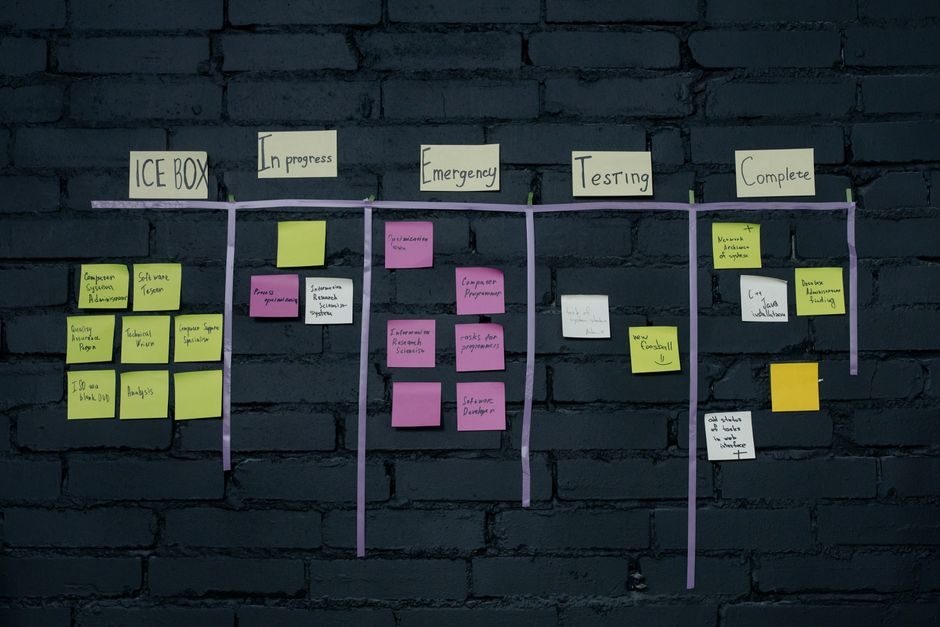
Build from the real process, not an assumption
A dependable custom application starts with the people, records, and handoffs involved. These steps help turn an operational problem into a buildable software scope.
- Map the workflow: Document how information enters, who reviews it, where it goes next, and how staff know a task is complete. Use a real example, such as referral intake or follow-up tracking, and include exceptions rather than drawing only the ideal path.
- Inventory systems and data: List each application, database, spreadsheet, and manual document that supports the workflow. Record the data owner, format, update frequency, identifiers, and known duplicates so the team can see where integration or cleanup is required.
- Define access and responsibility: Identify user roles and the actions each role needs to perform. A scheduler, clinician, administrator, and reporting user should not automatically receive identical screens or permissions; the design should reflect their actual duties.
- Set integration boundaries: Specify which system remains the source of truth for each important record and whether data moves through an API, a scheduled exchange, or another supported interface. Include a plan for rejected updates, missing identifiers, and temporary connection failures.
- Design the data model and interface: Structure records around the workflow and make key fields clear at the point of entry. In a web application, validation messages should help staff correct a problem immediately, while screens should avoid collecting information the process does not need.
- Test with realistic scenarios: Test normal work, corrections, duplicate submissions, permission limits, and interrupted integrations. Use representative sample data rather than exposing sensitive live records unnecessarily, and verify that reports reconcile to the underlying records.
- Plan deployment and maintenance: Decide how existing data will be reviewed and migrated, how users will be trained, and who will handle updates. Document application dependencies, database structure, and integration behavior so a future maintainer is not forced to reverse-engineer the system.
Pro Tip: Before development begins, write down the exact rule for each field that appears in two systems. If the same information has different owners or update timing, settle that design decision before building synchronization.
A useful architecture should fit the organization’s current environment and leave room for measured change. Keene Systems describes its work on integrating custom software with existing systems, a relevant consideration when a healthcare application must work alongside established databases and business tools.
Common mistakes that undermine healthcare software projects
Rebuilding before understanding the system
A familiar spreadsheet or desktop application often contains undocumented rules. Staff may rely on a hidden formula, a specific column order, or a manual review that prevents an incorrect record from advancing. Replacing the visible interface without capturing those rules can remove important safeguards.
- Skipping process discovery: Interview the people who enter, correct, and report on the data, then document normal and exception paths before defining features.
- Migrating every old field: Decide which records and fields support current work, which need cleanup, and which should remain available only for historical reference.
- Treating integration as a checkbox: Define ownership, matching logic, update timing, and error handling for each data exchange instead of assuming that a connection alone guarantees consistency.
Making screens convenient but controls unclear
A screen that collects too much information encourages inconsistent entry. A screen that hides important context can lead staff to select the wrong record or repeat a task. User interface design should make the next correct action easy to identify while keeping access appropriate to the user’s role.
According to Growth of Health IT-Enabled Patient Engagement Capabilities Among U.S. Hospitals: 2021-2024, in 2024, 8 in 10 hospitals had all foundational capabilities, 2 in 3 had all emerging capabilities enabling patients to view clinical notes and access information via apps, and fewer than half had all advanced capabilities (record import and patient-generated data submission) in any setting. The distinction among capability levels is a useful design prompt: patient access, information viewing, and submission workflows need separate requirements and testing.
- Using one permission level for everyone: Map actions to roles and check whether a user needs to view, edit, approve, or export each data type.
- Skipping data-quality checks: Test duplicate detection, required fields, invalid formats, and correction paths before launch, not only the happy path.
- Leaving maintenance undocumented: Keep technical notes for database structure, interfaces, deployment, and support responsibilities alongside the application.
Pro Tip: During interface review, ask a representative user to complete a real task using a sample record. Observe where they pause, enter workarounds, or need information that the screen does not provide.
Our perspective on custom healthcare solutions
We approach healthcare data management as a software and workflow problem that must be scoped carefully. The first question is not which framework to use. It is where work breaks down, which information is involved, and which existing application should remain responsible for each record.
Our development background includes high-performance web applications using ASP.NET and SQL Server, as well as React, Java, PHP/MySQL, and other technologies listed in our services. The appropriate stack depends on the existing environment, integration requirements, and the skills available to maintain the application. Technology selection should follow the architecture, not dictate it.
We also favor focused releases over a broad rebuild when the need is a specific workflow gap. A staged approach gives users a chance to validate data entry, permissions, and reporting before additional functions are added. At the same time, a small interface change is not enough if the underlying data model or ownership rules are already unreliable.
Our healthcare data management and custom software overview discusses the role tailored applications can play in these workflows. Custom software is not the right fit for every organization. If an existing product already supports the required process, data exchange, and maintenance model, extending or configuring it may be the more appropriate path.
When to bring in a software professional
Signs the workflow needs technical assessment
Bring in a custom software specialist when staff depend on a fragile spreadsheet for shared operational records, a legacy desktop application blocks access or integration, a programmer has left and the system is poorly documented, or an application must exchange data with multiple established systems. These situations require more than a new screen. They call for architecture, database, migration, and testing decisions.
Prepare a process diagram or written walkthrough, sample forms and reports, a list of current applications, known data issues, user roles, and examples of failed or repeated work. Do not send real patient information in an initial inquiry unless a secure process has been agreed upon. A qualified healthcare privacy or security professional should assess regulatory and organizational obligations; software developers should not substitute for that specialist’s advice.
A capable provider should be able to explain the proposed data model, integration boundaries, access controls, testing approach, migration risks, and maintenance plan in plain language. They should also identify assumptions and exclusions, and explain how the team will validate requirements before committing to a build. If the proposed plan treats privacy, data ownership, or system failures as later details, the scope is not ready.
FAQ about healthcare data management software
What is healthcare data management software?
Healthcare data management software is an application or connected set of applications that helps an organization capture, organize, validate, access, and exchange health-related or operational information. The useful design is specific to the work: it defines what data belongs in each record, who can use it, and how changes move between systems.
Custom software can address a gap that existing tools do not cover, such as coordinating a nonclinical workflow or replacing a spreadsheet used by several teams. It does not automatically replace an EHR or establish that an organization meets every privacy or regulatory requirement.
When should a healthcare organization choose custom software?
Custom development is worth assessing when a well-defined workflow does not fit available software, staff repeatedly transfer information by hand, or a legacy application prevents required integration or access. The need should be specific enough to describe in terms of users, records, actions, and exceptions.
If a standard product already supports the workflow and its data exchange requirements, custom development may add unnecessary complexity. Compare the ongoing maintenance needs and integration fit, not only the initial feature list, before choosing a direction.
How does custom software connect with an existing EHR?
An integration starts by identifying the data to exchange, the authoritative system for each field, and the supported interface. The architecture then defines matching rules, timing, error handling, access, and logging. Where available and appropriate, APIs can support controlled data exchange, but the details depend on the EHR and the other applications involved.
According to Hospital Use of APIs to Enable Data Sharing between EHRs and Third-Party Technology, as of 2024, 9 in 10 hospitals enabled patient access to an app of their choice via an API, and 7 in 10 did so via a standards-based API. Those figures describe hospital capabilities, not a guarantee that every proposed integration is supported by a particular system.
Can custom software replace a healthcare spreadsheet?
Yes, when the spreadsheet supports a repeatable workflow that needs shared access, validation, permissions, or reliable reporting. Before conversion, identify the spreadsheet’s formulas, column meanings, manual review steps, and record history. Those details often contain business rules that are not obvious from the layout.
A web application can provide structured forms, role-based access, and a clearer record of changes, but the design must preserve the necessary workflow. Decide how to handle duplicate rows and incomplete historical entries before migration rather than importing them unexamined.
What should teams test before launching a healthcare application?
Test data entry, corrections, user permissions, duplicate handling, reports, integration failures, and recovery from interrupted tasks. Include realistic examples for routine work and exceptions, then confirm that outputs match the underlying records. Test whether each role sees only the actions and information it needs.
For a patient-facing feature, test the full path from access through information display or submission, including error messages and support steps. Have qualified privacy and security professionals review requirements that fall within their scope, and do not treat a successful software test as a substitute for that review.
How can a team modernize a legacy healthcare application safely?
Start by documenting the application’s essential workflows, reports, data structures, interfaces, and dependencies. Identify the rules that are still in use, the records that need to move, and the functions that can be retired. A feature inventory alone is not enough if staff rely on undocumented behavior.
Then choose whether to modernize in stages, integrate around the existing system, or replace it. Test migration results against agreed samples and reports, and keep a rollback or continuity plan for the transition. The best route depends on the software’s condition, data quality, and the organization’s tolerance for operational change.
How Keene Systems supports healthcare data management
Keene Systems is a veteran-owned custom software development company founded in 1987, with a team of 50+ web and mobile developers. We work with organizations to explore the problem, define a tailored application, build and integrate it, and support ongoing maintenance. For healthcare-related projects, the scope must be grounded in the specific workflow and the organization’s technical and professional requirements.
Relevant capabilities include:
- Web application development: Build browser-based workflows for structured data entry, review, and reporting.
- SQL Server database design: Organize application data around clear relationships, validation, and retrieval needs.
- Application integration: Connect custom software with established systems where interfaces and requirements support it.
- Legacy system modernization: Replace or extend aging desktop applications with a maintainable web-based solution.
- User interface design: Shape screens around the tasks and roles of the people using the application.
Explore our user interface design approach for custom software to see why screen design belongs in the requirements and workflow discussion. Ready to discuss a healthcare data workflow? Contact our custom software development team.
Conclusion
The most important next step is to map one healthcare data workflow that currently creates repeated entry, unreliable reporting, or avoidable handoffs. Identify its users, records, source systems, exceptions, and access needs before deciding whether to integrate, modernize, or build a custom application.
Healthcare data management software solutions Keene Systems develops should be evaluated against that practical scope, not a broad promise to fix every system at once. A clear workflow map gives technical and healthcare specialists something concrete to assess, and it helps establish whether custom software is the right fit. With the right boundaries, data model, and testing plan, a tailored solution can support work that existing tools leave fragmented.
Sources
- Health Data, Technology, and Interoperability: Certification Program Updates, Algorithm Transparency, and Information Sharing
- Hospital Use of APIs to Enable Data Sharing Between EHRs and Apps
- Growth of Health IT-Enabled Patient Engagement Capabilities Among U.S. Hospitals: 2021-2024
- 45 CFR § 170.102 – Definitions
- Hospital Use of APIs to Enable Data Sharing between EHRs and Third-Party Technology
This article is general information, not a substitute for advice from a qualified professional. Consult a qualified professional about your own circumstances before acting on anything here.