

Custom software solutions improve business efficiency by matching applications to the way a company actually handles its data, decisions, and work. For small and midsize businesses, that can mean replacing spreadsheet handoffs, disconnected databases, or aging desktop programs with a system built around real operating needs. The right solution is not automatically a large application: it is the smallest dependable system that removes a verified bottleneck and fits the business’s existing technology.
TL;DR
- Start with a process: Document one costly workflow and its handoffs before deciding what to build.
- Check the data: Identify its source, owner, quality issues, and systems that must exchange it.
- Choose the right approach: Extend or integrate existing software when it meets the need; build custom functionality where it does not.
- Define success: Track a baseline such as rekeying time, error corrections, or time to complete a work order.
Key takeaways
Custom software works best when a business can name the process constraint, define the data rules, and measure whether a tailored application removes friction.
Match the solution to the problem
Prepare the process before choosing software

Locate the bottleneck and establish a baseline
Start by tracing one workflow from its trigger to its final record. For a manufacturer, that might follow a job from order entry through scheduling, production updates, inspection, and shipment. Record where staff wait, copy information, resolve mismatches, or maintain a separate spreadsheet because the main application does not show the full picture.
Put numbers against the current process before setting a project target. Useful measures include minutes spent entering the same order twice, the number of records corrected each week, time required to find a job’s latest status, or the delay between a field update and its appearance in a report. A baseline makes later evaluation more useful than a general goal such as “work faster.”
Gather the system and data details
List each application, database, FileMaker solution, desktop program, and spreadsheet that supports the workflow. For each one, capture who uses it, what information it owns, how data enters and leaves, and whether it has an interface or export that another application can use. Include the person who understands the system’s business rules, especially if the original programmer has left.
Bring real examples to planning: a blank form, a completed record with sensitive details removed, a report, and the error cases staff see. Note role differences, approval steps, access restrictions, and the fields users commonly leave blank. For an existing database, identify duplicate records and inconsistent naming before treating its contents as a clean migration source.
Pro Tip: Pick a workflow with a clear start, finish, and owner for the first scope. A narrowly defined work order or service request is easier to validate than an initial project that tries to replace every spreadsheet at once.
A practical sequence for building the right solution
Move from discovery to a testable release
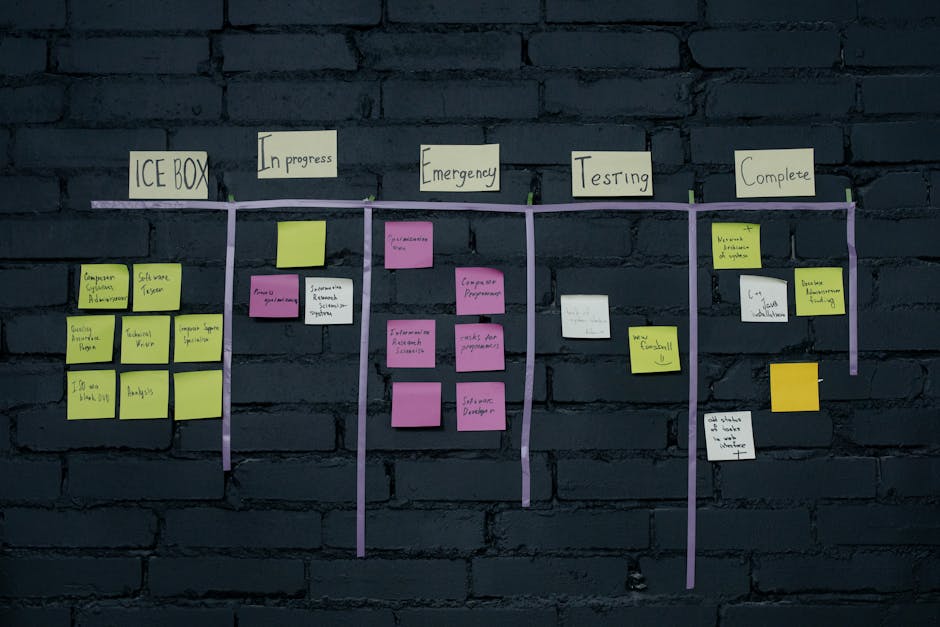
- Map the current workflow: Draw each handoff, decision, exception, and system touchpoint. Confirm the map with the people entering records and the people who rely on the output.
- Set the business rules: Define required fields, permitted values, user roles, approvals, and what happens when information is missing or late. A rule such as “a job cannot be released until inspection is recorded” belongs in the requirements, not only in a training note.
- Choose an architecture and integration plan: Decide which application owns each type of data and how updates move between systems. Software architecture planning helps make decisions about application boundaries, data storage, security, and future change before those choices become expensive to undo.
- Design the screens around the work: Sketch the key tasks, not just a home page. A production coordinator needs a useful queue and clear status changes; a mobile technician needs readable forms and an input flow suited to field conditions.
- Build and test a small, complete slice: Implement one end-to-end path, such as creating a work order, assigning it, recording progress, and viewing its status. Test normal use, permissions, invalid entries, and exceptions with representative users and data.
- Migrate and reconcile records: Decide which historical data must move, map old fields to the new model, and test totals and sample records. Keep a plan for reconciling discrepancies instead of assuming a successful import means the data is correct.
- Release in controlled stages: Train a defined group, monitor issues, and keep a documented fallback for critical operations. Expand after the first users confirm that the new process handles real work, including exceptions.
A practical scope document should state what the first release includes, what it explicitly leaves out, the systems involved, acceptance checks, and who approves each workflow. Keene Systems explains additional cost factors in its guide to the cost structure of custom software development.
Ready to assess a workflow for custom development? Talk with our team about your software needs.
Measure progress and spot when the approach is failing
Use operating evidence, not feature counts
A completed feature is not proof of improved efficiency. Compare the new workflow against the baseline: how often staff reenter information, how long a work item waits for an update, how many records require correction, and whether managers can get a reliable status without requesting a separate report. Choose a small number of measures linked to the original constraint.
Check both speed and control. A faster order-entry screen that allows incomplete customer or product data can increase downstream rework. For a web application, test role permissions and validation with realistic user scenarios. For SQL Server or MySQL data, verify that reports and key totals match expected results after migration and after ordinary updates.
According to the Zone & Co 2024 State of Finance Automation Survey Results, companies with advanced OTC automation run more efficiently. For an order-to-cash workflow, that makes handoffs between order, billing, and payment records important places to examine, while the precise gains depend on each company’s process and systems.
Investigate friction before adding features
- Users keep a shadow spreadsheet: Find the missing view, export, or exception handling that makes the official system inconvenient.
- Records disagree across applications: Check for unclear data ownership, duplicate entry, and integration failures before changing reports.
- Staff avoid a new screen: Observe the task itself and check whether labels, permissions, or required fields conflict with actual work.
- The team cannot support the release: Confirm that monitoring, maintenance ownership, access to source code, and technical documentation are defined.
Pro Tip: Review the first release with actual records and real user roles before adding another feature. A short reconciliation of sample records often exposes a data rule that a screen-only demonstration will miss.
Our perspective on efficiency-focused development
We approach efficiency as a process and data problem before treating it as a programming problem. A business might need an ASP.NET web application, a React interface, a mobile application, or an integration with an existing FileMaker or SQL Server system. The technology choice follows the requirements: who needs access, what information must be shared, how the workflow behaves, and who will maintain it.
We advise against automatically replacing every existing tool. If a current package already handles a stable process, configuration or integration may be more appropriate than a new application. Custom development makes more sense when important rules, data relationships, or handoffs do not fit the available software and the cost of working around those limits is clear.
Our veteran-owned team has operated since 1987 and includes more than 50 web and mobile developers. We bring a disciplined approach from initial project exploration through development and ongoing maintenance, using technologies that include ASP.NET, SQL Server, FileMaker, React, Java, and PHP/MySQL. We avoid promising a fixed efficiency gain before reviewing a company’s process, data, constraints, and adoption requirements.
When to bring in a custom software specialist
Know when the problem exceeds routine maintenance
Bring in a specialist when a business-critical desktop application is difficult to support, a spreadsheet has become a shared work system, several applications hold conflicting versions of the same record, or a lost programmer left unclear code and undocumented rules. A startup planning for more users should also examine data structure and application boundaries before growth makes a basic prototype difficult to extend.
For the first conversation, prepare a process map, representative forms or reports, a system inventory, the most important exceptions, and a baseline measure. If the original developer is unavailable, include whatever source code, database schema, backups, deployment notes, and credentials the business can safely access. Do not send passwords or sensitive production data through an unsecured channel.
A good provider should explain the proposed first release, the assumptions behind the architecture, how integrations and migration will be tested, and what ongoing support includes. They should also identify what is not yet known, such as undocumented business rules or data quality issues, rather than hiding those risks inside a broad estimate.
Frequently asked questions
How does custom software improve business efficiency?
Custom software improves efficiency when it removes a specific source of delay or rework, such as duplicate entry between a spreadsheet and a database, unclear job status, or an approval handled through scattered email. The software should enforce the relevant business rules and present the right information to each role. Measure the result against a baseline, because a tailored application does not automatically improve a process that has not been clearly defined.
Should we replace our spreadsheet with a custom web application?
A spreadsheet is often sufficient for a personal calculation or a small, controlled list. Consider a web application when several people update the same records, approvals and permissions matter, errors are difficult to trace, or teams spend time reconciling versions. Before replacement, identify the spreadsheet’s formulas, validation, reports, and exceptions. The application needs to preserve useful controls while improving shared access and record ownership.
What should we do with a legacy desktop application?
Start with an inventory of the functions people rely on, the data it stores, its exports and integrations, and the business rules users apply outside the program. Then determine whether the system needs a full replacement, a web front end, or a staged migration. Recreate behavior that is still required, not every old screen. Test calculations, reports, and edge cases against known records before retiring the desktop workflow.
How do we know whether to build custom software or integrate existing systems?
Choose integration when the systems already support the required work and the main problem is moving accurate data between them. Custom development is a better fit when essential workflow rules or user needs are not supported by existing products. A review should identify the source of truth for each data type, available interfaces, update frequency, and failure handling. Those details determine whether an integration is practical and maintainable.
What affects the cost and schedule of a custom application?
Scope, system integrations, data cleanup, migration, security requirements, user roles, and the number of workflows all affect effort. So do undocumented rules and the need to support existing operations during rollout. A useful estimate ties work to a defined release and lists assumptions, exclusions, and acceptance checks. Estimates become less reliable when requirements are only “make the current process faster” without examples or measurable criteria.
How Keene Systems supports efficiency-focused projects
Keene Systems develops tailored software for businesses that need a better fit than off-the-shelf tools provide. Founded in 1987, we work across the project lifecycle, from exploring requirements and planning application structure to development and ongoing maintenance. The right starting point might be a new web application, a database redesign, a modernization effort, or integration with systems staff already use.
Relevant services include:
- Web application development: Build browser-based workflows for teams that need shared access to operational records.
- SQL Server database design: Organize business data and its relationships to support reliable entry and reporting.
- Application integration: Connect systems where data handoffs create repeated work or conflicting records.
- Legacy system modernization: Move essential desktop workflows toward maintainable web-based applications.
- FileMaker Pro and PHP development: Support businesses whose existing platforms and applications need development or extension.
Tell us where work gets stuck and what systems are involved. Discuss a custom software project with Keene Systems.
Conclusion: Start with the workflow that costs you time
The strongest first step toward custom software solutions business efficiency is to document one workflow that creates measurable rework, delay, or data confusion. Trace its handoffs, name the systems involved, and record a baseline before choosing whether to configure, integrate, or build. That evidence gives a development team something concrete to assess and keeps the first release tied to an operating need.
A custom application is not the right answer for every software problem. When a process is stable and existing tools already support it, integration or configuration can be the better route. When important work depends on spreadsheets, aging desktop software, or disconnected records, a carefully scoped application can give staff a more dependable way to manage it. Define the constraint first, then choose the smallest solution that addresses it.