


FileMaker Pro development builds database applications around your organization’s records, workflows, and reporting needs. For businesses managing work in disconnected spreadsheets or an aging FileMaker solution, FileMaker Pro development Keene Systems can help assess what to keep, improve, integrate, or replace.
FileMaker can be a practical fit when staff need a purpose-built application without the scope of a larger custom platform. The right design still requires careful work on data structure, access, workflows, and future maintenance.
Key takeaways
FileMaker Pro benefits are strongest when a carefully modeled database supports a defined business process and has a realistic plan for integration and maintenance.
Prepare your records and workflow before development
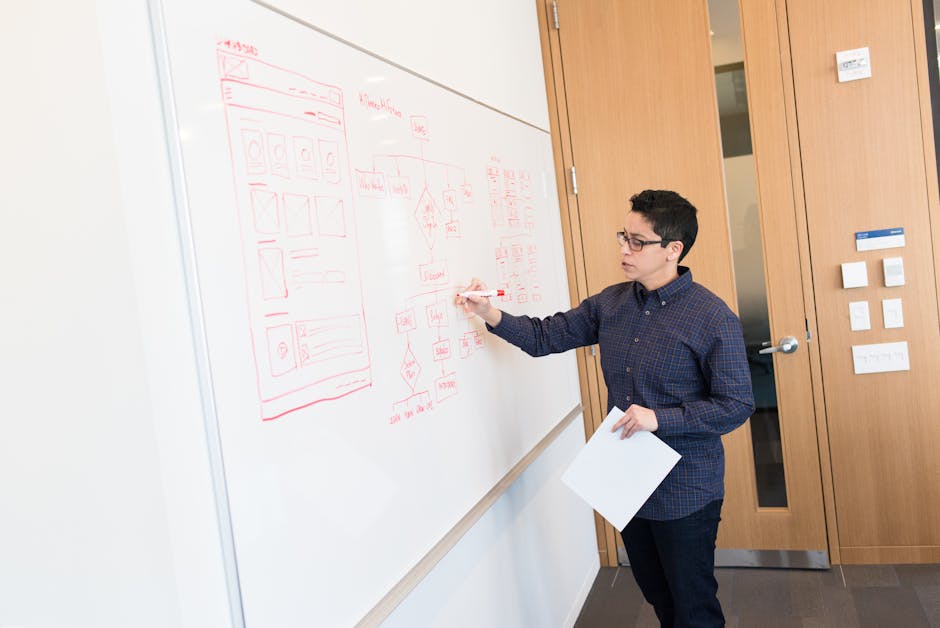
Start with the operational problem
A FileMaker project should begin with the work people need to complete, not a list of screens they want copied. For a manufacturer, that might mean tracing how a customer order becomes a production record, how staff update its status, and which reports supervisors use to identify delays.
Write down the current process from the first data entry to the final report. Note where people retype information, maintain parallel spreadsheets, or rely on one employee to explain undocumented steps. Those details help distinguish a software problem from a process rule that needs to be clarified first.
Gather a small set of representative records, reports, and forms. Include common cases as well as exceptions, such as a split shipment, a revised quote, or a record that needs approval. Do not assume that a screenshot of the current interface captures the rules behind it.
Audit the existing database and its data
If you already use FileMaker, collect the current file or files, a field list, script documentation, and a description of how users access the solution. Identify who owns administrator access and whether any automated imports, exports, or scheduled tasks depend on it.
Data quality shapes development effort. Look for duplicate customers, free-text values used in place of consistent categories, missing unique identifiers, and dates entered in different formats. A custom FileMaker solution should have relationships that reflect how the business actually works, rather than simply reproducing the layout of an old spreadsheet.
According to FileMaker Pro | Information Systems & Computing, FileMaker Pro is the database program recommended for ISC’s clients, including off-campus students and is in common use at Penn. That fact is useful context, but it does not decide whether FileMaker suits a particular company’s requirements.
Set boundaries and access expectations
List the user groups, the records each group should create or view, and any approval steps that need to be enforced. Consider how staff will use the application in their actual work setting, including whether they need mobile access or must continue to work with existing desktop processes.
Finally, document required integrations and reporting. For each connection, name the source of truth, the data that must move, and how often it needs to update. Our FileMaker development overview gives additional context on evaluating FileMaker as part of a custom software project.
A practical development playbook

Move from discovery to a tested application
- Define the workflow: Describe the users, records, decisions, and handoffs involved in the process. Agree on what a successful first release must let staff do, such as create a job record, assign an owner, and produce a specific operational report.
- Inspect the current environment: Review existing FileMaker files, layouts, scripts, data exports, and integrations. If the current developer has left, locate administrator credentials and identify which processes stop working when a particular person is unavailable.
- Model the data: Define the key entities and how they relate. A job-management application, for example, may need distinct customer, order, job, and status records rather than one large table that repeats customer details on every job.
- Design roles and screens: Map each user group to the actions it needs. Build layouts around the tasks people perform, while checking that permissions and required fields support the business rules rather than merely hiding inconvenient data.
- Build and validate in increments: Develop a working slice of the application and test it with representative records. Verify common paths and exceptions, including edits, cancellations, approvals, and reports that rely on related records.
- Plan data conversion and rollout: Clean and map the source data before importing it. Reconcile record counts and sample key fields after migration, then decide how staff will handle transactions entered during the transition.
- Document support and ownership: Record how the application is structured, how important scripts work, and who can manage user access. Agree on how defects, enhancement requests, backups, and future changes will be handled.
Pro Tip: Test a realistic exception early, such as a revised order or a job with multiple status changes. It often reveals missing relationships or unclear rules before the application has been built around the wrong assumptions.
For a broader view of how project discovery, planning, and delivery fit together, read our guide to the custom software development process.
Ready to assess your workflow and data? Talk with our development team about your FileMaker project.
Signs the solution fits, and when to get help
Look for evidence in daily work
A FileMaker application is working well when staff can complete the intended process without maintaining a shadow spreadsheet for the same records. Useful signs include consistent data entry, reports that match agreed business definitions, and clear ownership of updates when records move between teams.
Check those outcomes against specific tasks. Can staff find the current status of an order without asking the person who entered it? Can a manager distinguish an open job from a completed one using a defined status rule? Can a new user understand which record to update and what information is required?
Operational checks matter as much as the visible interface. Confirm that users have appropriate access, that key records are not duplicated during imports, and that reports include the right date ranges and related records. Review the results with people who do the work, not only with the application owner.
Recognize limits before workarounds multiply
Bring in a FileMaker specialist when essential workflows depend on undocumented scripts, the person who built the system is no longer available, or staff cannot confidently explain how records connect. Those conditions make routine changes harder to estimate and increase the chance that a fix in one area disrupts another.
A specialist is also useful when a company is deciding whether to extend FileMaker, integrate it with another application, or move a process to a web or mobile solution. The answer depends on the required users, data relationships, integrations, and maintenance plan. Rebuilding every current screen in a new tool is not automatically the right modernization strategy.
Pro Tip: Before approving a change, ask for a short list of affected tables, scripts, layouts, and integrations. That review makes the scope easier to discuss and gives the team a practical checklist for testing the change.
What FileMaker Pro development Keene Systems means in practice
We approach FileMaker as a way to solve a defined operational problem, not as a reason to force every business process into one platform. Our advice is to start with the records and decisions that drive the work, then test whether FileMaker can support them with a clear data model and maintainable application structure.
We would avoid beginning with a visual redesign while unresolved business rules remain. If two departments define a completed order differently, new layouts will not settle that disagreement. Likewise, automating a spreadsheet before checking its formulas and source data can turn inconsistent assumptions into application behavior.
Keene Systems is a veteran-owned custom software development company founded in 1987, with a team of 50+ web and mobile developers. We work across FileMaker and other technologies, including ASP.NET, SQL Server, React, Java, and PHP/MySQL. That range matters when a FileMaker application must fit into a wider software environment or when a requirement deserves a different technical approach.
Our FileMaker development services are intended to support a project from exploration through ongoing maintenance. We advise defining what remains in FileMaker, what needs to connect, and what should be reconsidered before committing to a build.
When specialized help makes sense
Bring in a specialist when the application supports important operations, its structure is poorly documented, or staff have built manual workarounds around unreliable data. A company that has lost its programmer should also establish who controls the files, accounts, scripts, and business-critical integrations before making changes.
For a first conversation, prepare a short workflow description, sample reports, representative data with sensitive details removed, a list of user roles, and any available FileMaker documentation. Include known pain points and the decisions the new or improved application must support. If you need an integration, identify the other system and which records should be exchanged.
A good provider should be able to explain how it will inspect the existing solution, model the data, test changes, handle migration, and document the result. It should also explain where FileMaker is a sound fit and where a web application, mobile application, or integration with another platform deserves consideration. If the proposed plan skips data ownership, permissions, or testing, ask how those risks will be addressed.
FAQ
What are the main benefits of FileMaker Pro?
FileMaker Pro can support a custom database application shaped around an organization’s records, user roles, and workflows. That is useful when a business needs more structure than a collection of spreadsheets but has requirements that fit a focused database solution. Benefits depend on the quality of the data model and implementation. FileMaker is not automatically the right choice for every application, integration, or user environment.
Is FileMaker Pro a good fit for a small or midsize business?
It can be a good fit when a business needs a tailored application for a defined process, such as tracking orders, coordinating service work, or managing related customer and job records. Before deciding, map the users, data, reports, and integrations. If the requirements include broader web access, mobile workflows, or complex connections, compare the FileMaker approach with other custom software options rather than assuming one platform covers every need.
Can an existing FileMaker application be improved instead of replaced?
Often the first step is to inspect its files, relationships, layouts, scripts, and data. If the core model still supports the business, targeted updates may be more appropriate than rebuilding the application. If important rules are undocumented, data is inconsistent, or the current design blocks required workflows, the review may point toward a larger redesign or a replacement. The decision should follow the application audit, not familiarity alone.
Can FileMaker replace spreadsheets used to manage work?
It can provide a more structured way to manage shared records when spreadsheets have become difficult to reconcile or control. Start by identifying the source of truth, the information users enter, and the reports they need. Then model the records and relationships before recreating spreadsheet tabs as screens.
Some spreadsheets are still appropriate for one-off analysis, so the aim is to replace fragile operational tracking, not every worksheet in the business.
Can a FileMaker solution connect to other business systems?
Integration requirements should be identified during discovery. Define which system owns each piece of information, what data needs to move, and whether updates are one-way or two-way. Also plan how duplicate records, failed transfers, and field changes will be handled. The specific method depends on the systems and their available interfaces, so an integration should be scoped and tested as part of the application rather than treated as an afterthought.
What should we prepare before requesting a FileMaker development estimate?
Prepare a process description, sample reports, a list of user roles, and examples of the records the application must manage. For an existing solution, include the files, documentation, and a list of known scripts or integrations, where available. Note which functions are essential for the first release and which can wait. A clear scope helps a development team identify unknowns and explain what affects project effort without making unsupported assumptions.
How Keene Systems helps with FileMaker projects
We help businesses evaluate, develop, and maintain custom software around their operational requirements. For FileMaker work, the starting point is understanding the current application or workflow, then deciding how its data, users, and processes should fit together. Our team also works with other web and database technologies, which is relevant when a FileMaker application needs to connect with a broader system or when another approach better fits the requirements.
Depending on the project, our work can include:
- FileMaker Pro development: Build or improve an application around defined records, workflows, and user needs.
- Database and workflow design: Organize information and clarify how staff create, update, and report on it.
- Application integration: Plan how FileMaker exchanges information with other business systems.
- Ongoing maintenance: Support future changes as business processes and software requirements evolve.
We bring a disciplined development process to the work, from initial project exploration through maintenance. Discuss your FileMaker requirements with Keene Systems.
Conclusion
The most useful next step for FileMaker Pro development Keene Systems is a focused review of the process and data your application needs to support. Write down the key records, user roles, recurring handoffs, and reports before choosing between improving FileMaker, building a custom solution, or considering another platform.
That preparation gives a development team something concrete to evaluate. It also helps expose issues such as inconsistent identifiers, undocumented scripts, and unclear ownership of shared data before they become larger project risks. With a defined scope and an honest assessment of fit, you can make a practical decision about how FileMaker should support your operations.