

Why Choose Keene Systems for Your Digital Transformation Journey?

Digital transformation Keene Systems delivers is a custom software-led effort to make business processes more connected, usable, and ready to support change. For a growing company, that may mean replacing spreadsheets, modernizing an old desktop application, or connecting data that currently sits in separate systems. The right approach starts with the way your team actually works, then selects technology to fit the need.
Three things to know before you go further:
- Start with a process: Identify a specific workflow that is slow, error-prone, or difficult to track before deciding what software to build.
- Plan for real users: Include the employees who enter, review, and act on data when defining requirements and testing the application.
- Treat modernization as a sequence: A legacy replacement can be delivered in manageable stages, depending on system complexity, integrations, and data quality.
Key takeaways
Digital transformation works best when custom software addresses a defined operational problem and can adapt as your business changes.
At a glance
Why digital transformation becomes necessary

When daily work outgrows existing tools
Many digital transformation projects begin with a practical frustration. A manufacturer may track orders, inventory, or production information in disconnected spreadsheets, then spend time reconciling versions before anyone can make a decision. An operations team might rely on a desktop program that only runs on certain machines, while employees need access from different locations or devices.
These tools may have served the business well. The problem is that workarounds accumulate: duplicate data entry, manual approvals, delayed reporting, and uncertainty about which record is current. When a company loses the programmer who maintained a core application, even a small change can become difficult to scope or safely release.
A digital transformation is not simply moving a paper form onto a screen. It is the redesign of business processes and supporting technology so information can move more reliably between people and systems. For a small or midsize company, that can involve a targeted application rather than a large, all-at-once replacement program.
The investment context is significant, but figures need to be read in context. Deloitte Insights, “Focusing on the foundation: How digital transformation investments have changed in 2024” reports that organizations are investing 7.5% of their revenue on digital transformation. That is a reported investment level, not a recommended budget for every business.
Statista, “Digital transformation – statistics & facts” reports that worldwide spending on digital transformation reached 1.85 trillion U.S. dollars in 2022. The scale of that figure shows the breadth of activity, but an individual company still needs to judge projects by its own requirements, constraints, and expected operational value.
The cost of leaving process gaps in place
The cost of a poor-fit workflow is often distributed across roles. Staff rekey information, managers wait for reports, and customers or suppliers may receive updates later than expected. In a custom application project, these are signals to investigate, not proof that software alone will solve the issue. Requirements, data quality, integration options, and staff practices all matter.
KPMG’s “Survey: 9 in 10 transformations now delivering value” says 88% of US companies report improved value and productivity from their digital transformations. That finding describes surveyed companies overall; it does not guarantee a particular project outcome. Similarly, TEKsystems reports that 72% of digital leaders are satisfied with the progress of their digital transformation efforts in its 2023 State of Digital Transformation Report.
A practical custom software transformation plan
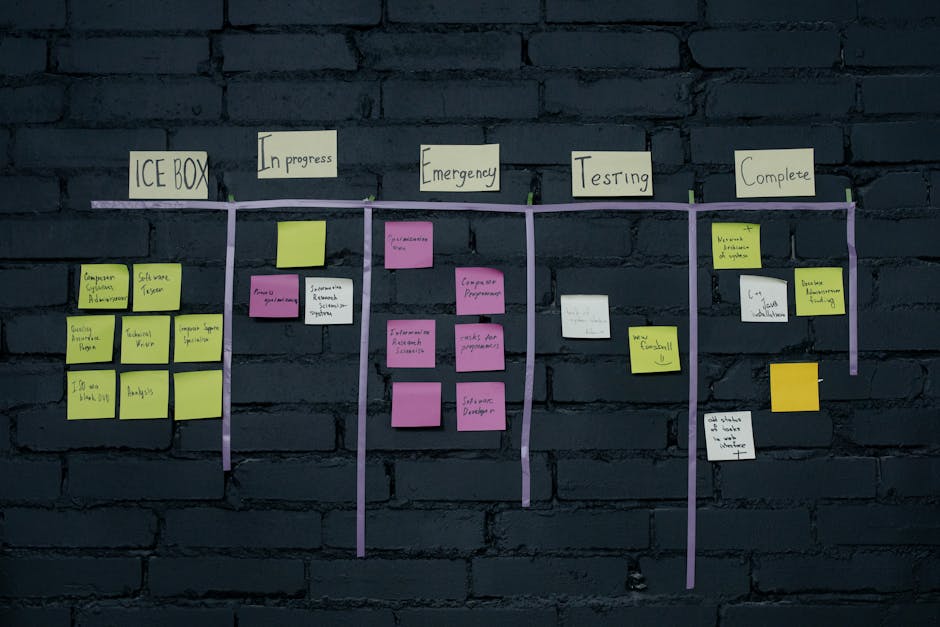
Steps from discovery to rollout
- Choose a specific business outcome: Describe the operational issue in observable terms, such as eliminating duplicate order entry or giving authorized staff a shared view of job status. Avoid starting with a technology label before the workflow is understood.
- Map the current process: Document who creates information, who approves it, where it is stored, and what happens when something is missing or incorrect. Include exceptions, because unusual cases often reveal why a spreadsheet or aging desktop program has become hard to replace.
- Review the existing application and data: Inventory databases, file formats, integrations, user roles, and dependencies. For a legacy system, establish which records must move, which can be archived, and how the business will verify migrated data before relying on the new application.
- Define a practical first release: Separate essential capabilities from later improvements. A first release might cover a key workflow and its most important reports, while leaving less-used features for a later phase. This helps stakeholders test real usage before expanding scope.
- Select an architecture that fits the job: The right choices depend on the application’s users and operating needs. A browser-based ASP.NET application, SQL Server database, FileMaker solution, PHP/MySQL application, or mobile app may be appropriate in different situations. Consider hosting, access controls, integration requirements, and future maintenance before settling on a stack.
- Build and review in working increments: Develop the application around agreed requirements, then review screens and behavior with the employees who will use them. Check validation rules, permissions, error handling, and reporting, not only the successful path through each form.
- Test migration, integration, and user tasks: Validate representative records, confirm connected systems exchange the expected information, and ask users to complete common tasks in a test environment. Resolve issues before production use, and prepare a fallback plan for critical workflows.
- Roll out with support and a maintenance plan: Decide who approves access, handles questions, and prioritizes fixes after launch. Monitor the application against the original process goals, then plan changes based on observed usage rather than assumptions.
Pro Tip: For spreadsheet replacement, collect the current workbook versions and identify which columns are used for decisions, formulas, and reporting. That detail helps distinguish necessary business rules from historical workarounds before they are built into an application.
A disciplined custom software development process gives stakeholders a way to clarify requirements before development effort is committed. Keene Systems’ custom software development services can support organizations evaluating a tailored application, modernization, or integration need.
Ready to discuss a workflow that needs better software support? Talk with our team about your project.
Common mistakes that derail custom software projects

Avoid building the wrong solution well
- Automating a broken process without reviewing it: Software can make an inefficient workflow run faster without making it more useful. Map handoffs, rework, approvals, and exceptions first, then decide which steps should change.
- Treating every old feature as essential: Legacy programs often contain functions that are rarely used or only exist because of a past workaround. Ask users which capabilities are necessary today and which can be retired, replaced, or handled in a later phase.
- Ignoring data cleanup: Migrating inconsistent customer, inventory, or job records can carry old errors into a new system. Define ownership for cleanup and validation, and test migration with representative records before the cutover.
- Assuming integration is automatic: A new application may need to exchange data with accounting, inventory, or other business systems. Confirm available interfaces, data formats, ownership, and failure handling early, rather than treating integration as a final detail.
- Designing around one person’s memory: A company may depend on a former programmer or a single employee who knows how a desktop application works. Record business rules, access requirements, data relationships, and release procedures so future maintenance does not depend on undocumented knowledge.
- Leaving users out of reviews: A screen that looks clear to a project team may not fit the pace of a production floor or an office workflow. Involve representative users in requirements, prototypes, and testing, and make time to resolve practical feedback.
- Launching without a support owner: Teams need a clear route for reporting issues and requesting changes after deployment. Assign responsibility for triage, access changes, and prioritizing enhancements before the new application becomes central to daily work.
Pro Tip: Ask a prospective developer how they will handle a defect discovered during data migration or user testing. A useful answer should describe the review, correction, retest, and communication process, not just promise that the issue will be fixed.
Frequently asked questions
What does digital transformation mean for a small or midsize business?
Digital transformation means changing how a business operates by improving its processes and the technology that supports them. For a smaller company, it may be a focused effort: replacing a spreadsheet-driven workflow with a shared web application, modernizing a desktop program, or connecting separate systems. The scope should reflect a real operational need, available resources, and the organization’s capacity to adopt the change.
When should a company build custom software instead of buying an off-the-shelf product?
Custom software may be worth evaluating when a standard product cannot support important business rules, workflows, or integrations without costly workarounds. Off-the-shelf software may be a better fit when its capabilities match the process and the business can use it without excessive customization. Compare total ownership needs, data access, maintenance, and the cost of adapting operations before choosing either route.
Can an old desktop application be replaced with a web application?
Often, a desktop application can be assessed for replacement with a browser-based application, but the work depends on its code, data structures, features, and external dependencies. Start by documenting how people use it and which records must remain available. Then evaluate a migration approach, access controls, integrations, testing needs, and whether some historical functions should be retired instead of recreated.
How do you replace spreadsheets without disrupting business operations?
Begin by identifying the authoritative workbook, its users, formulas, reporting needs, and the decisions it supports. Define how data should be validated and who can view or edit it in the replacement application. Test the new workflow with realistic records and users before switching over, and plan how to handle open work, corrections, and questions during rollout.
What should we ask a custom software development partner?
Ask how the partner gathers requirements, documents existing systems, handles data migration and integrations, and involves users in testing. Clarify who owns project decisions, how changes to scope are reviewed, and what support is available after launch. Also ask how the proposed technology fits your team’s needs and how the application can be maintained as requirements change.
How Keene Systems supports your digital transformation
Keene Systems is a veteran-owned custom software development company founded in 1987, with a team of 50+ web and mobile developers. Our work spans project exploration, application development, and ongoing maintenance, with technologies selected to fit the problem rather than imposed as a one-size-fits-all solution.
Depending on your requirements, our services include:
- Web application development: ASP.NET, .NET, React, PHP/MySQL, and Java applications for business workflows.
- Data and workflow solutions: SQL Server database design, FileMaker Pro development, business process automation, and spreadsheet elimination.
- Modernization and access: Desktop-to-web conversions, application integration, mobile application development, and cloud computing with Azure and AWS.
For example, our ASP.NET development services can be relevant when a business needs a custom web application supported by a Microsoft technology stack. Teams evaluating a FileMaker-based application can also review FileMaker in custom software development. The appropriate path depends on current systems, technical requirements, and the work users need to complete.
If you are ready to assess a custom application or modernization project, start a conversation with Keene Systems.
Conclusion: Make digital transformation practical
Digital transformation is most useful when it connects a business goal to a specific change in how work gets done. Before choosing a platform or planning a large replacement, identify one process that creates repeated delays, manual data handling, or dependence on an aging application. Document its users, information, exceptions, and connections to other systems.
That preparation makes it easier to judge whether custom software is the right answer, what a first release should include, and how to limit disruption during rollout. Digital transformation Keene Systems supports can include web and mobile application development, database design, integrations, and modernization, based on the needs of the project. The most important next step is to define the workflow you want to improve and discuss its requirements with a development partner.